




In this article:
- Current challenges facing EdTech programs
- Potential impacts of extended device life
- Consider the instructional return
- Practical ways to extend device life
- Building a lifecycle strategy
The Device Refresh Cliff
For years, K-12 schools have been building technology more deeply into everyday teaching and learning. One-to-one device programs are now common across grade levels, digital curriculum has become part of the instructional fabric, and students and teachers increasingly depend on reliable access to technology throughout the school day.
But the funding environment has changed.
Emergency federal funding has ended, district budgets are tightening, device costs are on the rise in the wake of AI development, and devices purchased with ESSER funds are at or past traditional replacement age.
The result is what many in K-12 have described as a device refresh cliff: large fleets are aging at the same time that schools have fewer dollars available to replace them.
For technology leaders, the question is shifting from “When should we refresh?” to “How can we get more value from the devices we already own without compromising instruction?”
The Pressure Goes Beyond the Device Budget
The 2026 U.S. State of EdTech report from CoSN shows how many competing priorities districts are managing.
Budget constraints and lack of resources remain the top challenge to technology implementation. District silos that complicate technology planning rank second, while limited access to relevant training and professional development ranks third.
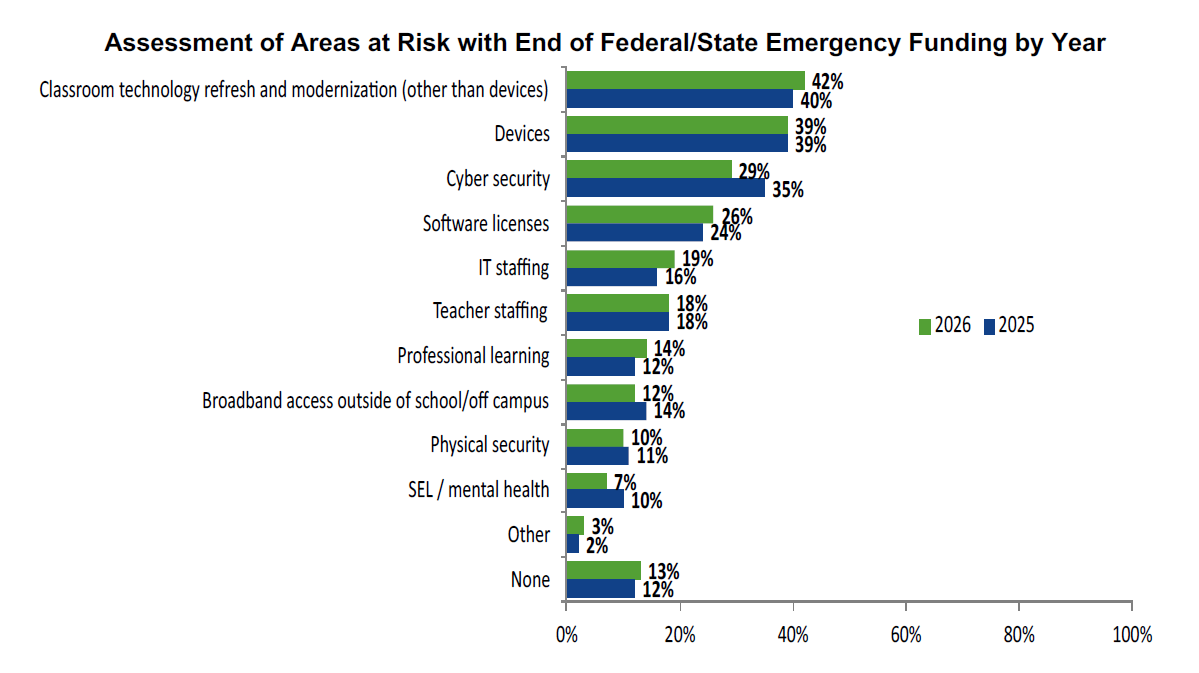
Refresh budgets are feeling that pressure directly. 42% of respondents identified classroom technology refresh and modernization as an area at risk, while 39% cited devices.
At the same time, schools are balancing other urgent priorities. Nearly 65% of districts identify insufficient cybersecurity staffing and the lack of a dedicated cybersecurity budget as major barriers, while 58% report being understaffed when it comes to supporting technology used for teaching and learning.
That makes device lifecycle planning about more than hardware. Every dollar spent on avoidable repairs or premature replacements is a dollar that cannot support cybersecurity, staffing, professional development, software, or other instructional priorities.
Four Years Doesn’t Have to Be an Automatic Finish Line
Half of districts currently refresh student devices within four years, according to CoSN, while tablet refresh cycles tend to run somewhat longer.
But age alone does not determine whether a device has reached the end of its useful life.
A four-year-old device that still performs well, remains secure and supported, and meets instructional requirements may still have meaningful life left in it. Extending even part of a fleet by another year can help districts stagger refresh costs rather than face one large replacement cycle.
The savings potential is significant. CoSN estimates that doubling the usable lifespan of K-12 devices nationally could save approximately $1.8 billion.
That does not mean keeping every device indefinitely. Districts still need to consider operating system support, battery condition, performance, repair history, security, accessibility, and classroom requirements.
The goal is to determine which devices can responsibly continue serving students longer.
Think Beyond Financial ROI
Traditional technology planning often focuses on acquisition cost and financial return on investment. In education, the equation is broader.
CoSN’s Value of Investment framework encourages districts to consider not only cost, but also operational efficiency, risk reduction, student outcomes, teacher effectiveness, equity, engagement, and instructional impact. That matters when evaluating refresh decisions.
If a district can safely extend a functioning fleet for another year, the avoided refresh expense may free up funding for cybersecurity, staffing, professional development, instructional software, or a phased hardware purchase.
The financial return is clear, but the instructional return is just as important, if not more so.
Extending device life can help preserve 1:1 access, reduce learning disruptions, and maintain continuity with the digital tools teachers and students already rely on.
Practical Ways to Extend Device Life
Extending device life requires more than simply delaying replacement. Districts can take several practical steps to make existing fleets last longer.
Procure for Longevity
The best time to extend device life is before the device is purchased.
Technology leaders can evaluate durability, repairability, parts availability, battery replaceability, warranty terms, operating system support, protective case availability, and expected resale value alongside processor, memory, and purchase price (Digital Promise).
A lower-cost device is not always the least expensive device over its full lifecycle.
Build a Repair Strategy
Repair should be treated as a planned lifecycle function rather than an unexpected expense.
Districts can track common failure points, repair frequency, parts and labor costs, downtime, and repeat repairs to determine which devices remain economical to maintain.
Some districts also use in-house or student-led repair programs to reduce costs and turnaround time while giving students hands-on technical experience.

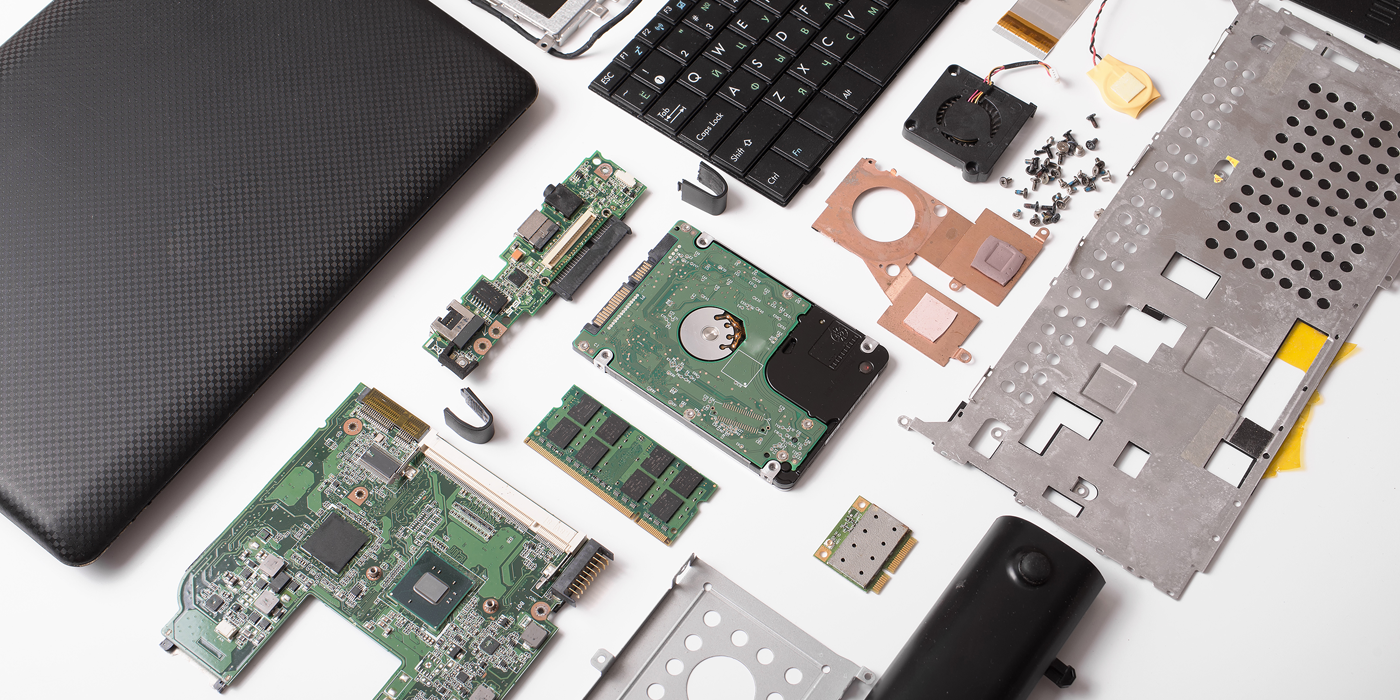
Reuse Parts from Retired Devices
A device that is no longer worth repairing may still contain useful components.
Screens, batteries, keyboards, and other parts can sometimes be recovered and used to keep active devices in service longer, particularly in districts with standardized fleets.
Use Summer as a Maintenance Window
Summer provides an opportunity to inspect fleets before problems become classroom disruptions. A structured summer check can include cleaning, battery testing, operating system updates, screen and hinge inspection, port checks, case inspection, inventory verification, and repair triage.
Catching a small problem in June is usually easier and less disruptive than dealing with it after school starts.
Train Students and Staff on Device Care
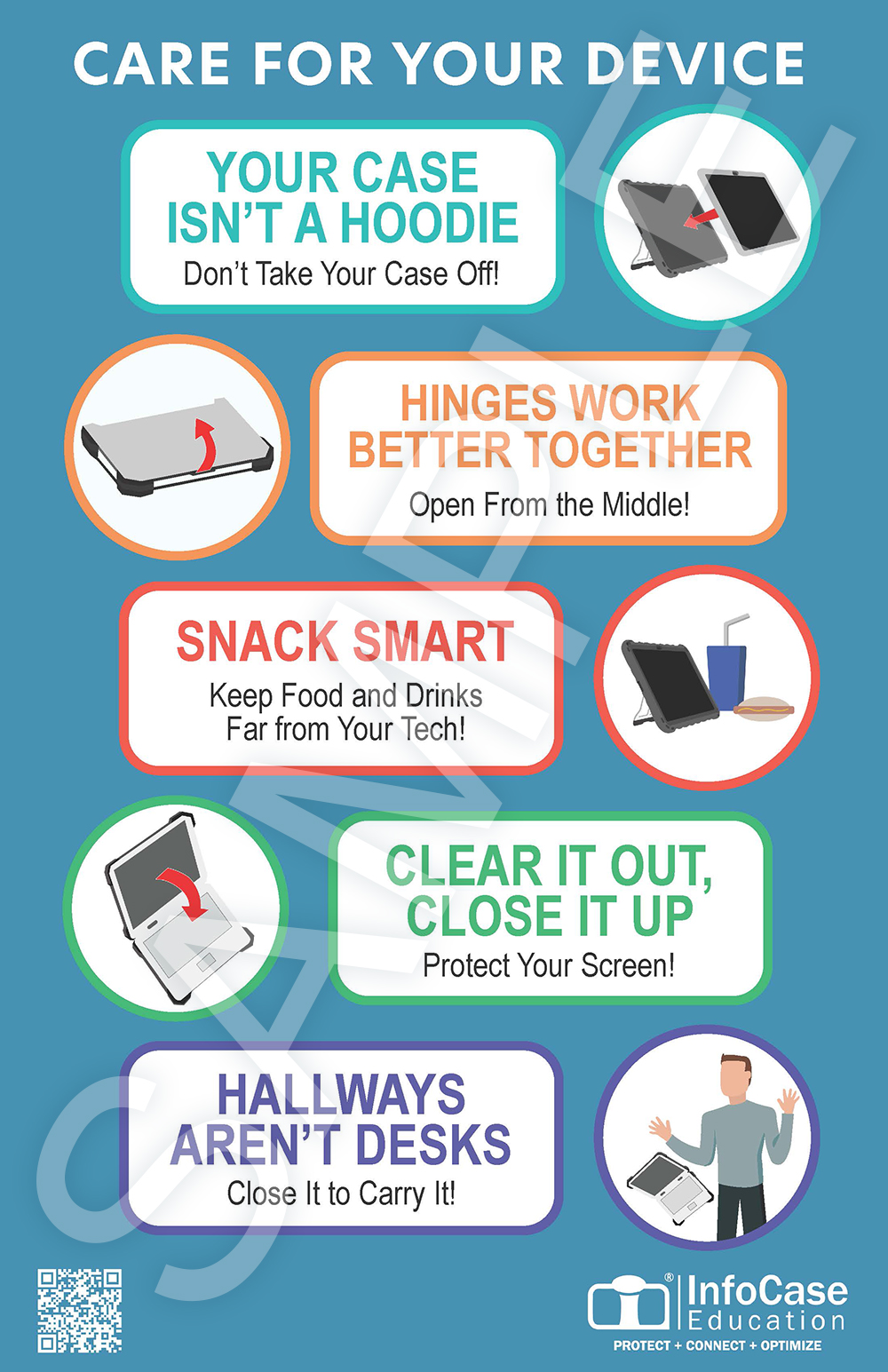
Not every lifecycle strategy requires a new purchase. Simple training around safe handling, charging, backpack storage, food and liquids, and early damage reporting can help prevent avoidable failures.
Staff can also play an important role by identifying issues such as loose hinges, damaged housings, unreliable chargers, or battery problems before they become larger repairs.
To help with training and awareness, InfoCase will send you a print-ready poster to hang around campus. Click here to claim yours.
Protection and Repair Coverage Still Matter
Physical protection is another part of the lifecycle equation.
Student devices move through classrooms, backpacks, buses, homes, cafeterias, and charging stations every day. Drops, impacts, and everyday wear can shorten usable life long before the technology itself becomes obsolete.
A quality protective case helps reduce repair costs and keep devices functional longer. When evaluating the investment, districts should consider not only the case price but also avoided screen repairs, broken hinges, replacement devices, technician labor, and instructional downtime.
InfoCase solutions are one option for districts looking to build physical protection into a broader lifecycle strategy.

Repair coverage can also make long-term device costs more predictable. For example, InfoCare360 provides repair coverage up to the value of the device and can cover devices for as long as four years.
The broader principle is simple: the less expensive and disruptive it is to keep a device working, the easier it becomes to responsibly extend its useful life.
Recover Value at the End
Eventually, every device does need to leave service. But end of life does not necessarily mean zero value.
Buyback and remarketing programs can help districts recover capital from aging devices and apply it toward future refreshes. Device condition matters, so reducing both functional and cosmetic damage throughout deployment can help preserve residual value.
Through InfoCare360 and Refreshed Tech, districts using qualifying PermaLock™ XP, ErGo Pro, or Rugged Slim for Neo cases can also receive an upfront guaranteed buyback value. With reliable device protection, Refreshed Tech can promise highly competitive rates up-front, allowing schools to recoup more funds for tech programs and to plan budgets with greater certainty.
That is one example of how protection, repair planning, and asset recovery can work together across the device lifecycle.

Build a Lifecycle Strategy, Not Just a Refresh Schedule
The device refresh cliff does not have one solution.
For some devices, replacement will be the right choice. For others, another productive year may be entirely realistic. The opportunity for districts is to evaluate those decisions strategically rather than treating device age alone as the trigger. A stronger lifecycle strategy can include smarter procurement, proactive maintenance, efficient repairs, staff and student training, physical protection, parts reuse, and asset recovery.
The goal is not to postpone technology investment indefinitely. It is to ask a better question:
How do we extract the greatest responsible value from every technology dollar already invested?
When budgets are tight and classroom technology is essential, extending device life is more than a cost-saving strategy. It’s one way to protect both financial resources and instructional continuity.
Sources
Digital Promise, 1EdTech, CAST, CoSN, ISTE, & SETDA. (2026, June). EdTech quality indicators guide: Leveraging the Five EdTech Quality Indicators to save time and money, reduce risk, and improve student outcomes. https://doi.org/10.51388/20.500.12265/301
Consortium for School Networking (CoSN). (2026, March). U.S. State of EdTech 2026. https://www.cosn.org/tools-and-resources/resource/u-s-state-of-edtech-2026/
Consortium for School Networking (CoSN). (2026, April). Value of Investment (VOI) in Education. https://www.cosn.org/voi/